Showing posts with label xml. Show all posts

Monday, July 14, 2014

Feature of the week: MS Office XML export

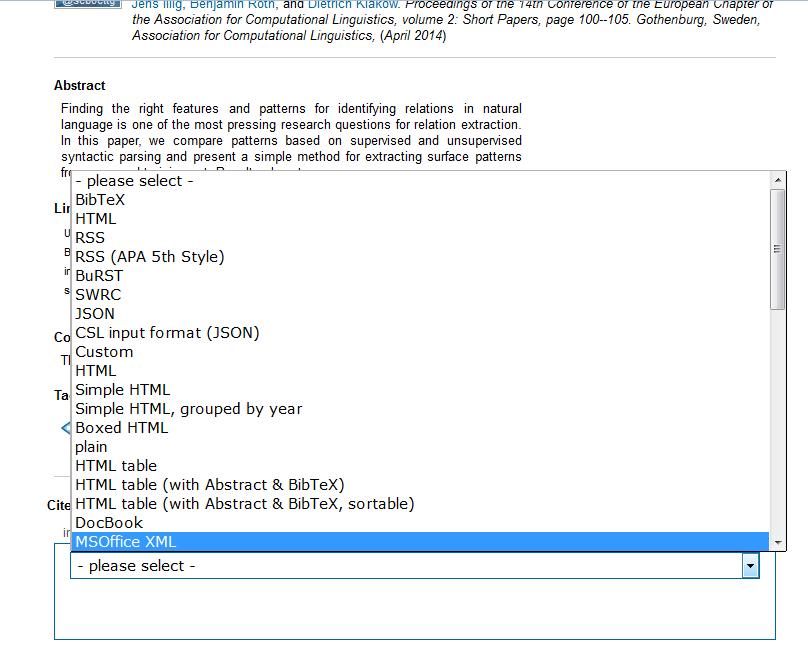
The new MS Office XML export enables you to easily import your publications into MS Word.

To export a publication, simply select the "MSOffice XML"-Option in the "all formats"-ComboBox and save the xml-file.


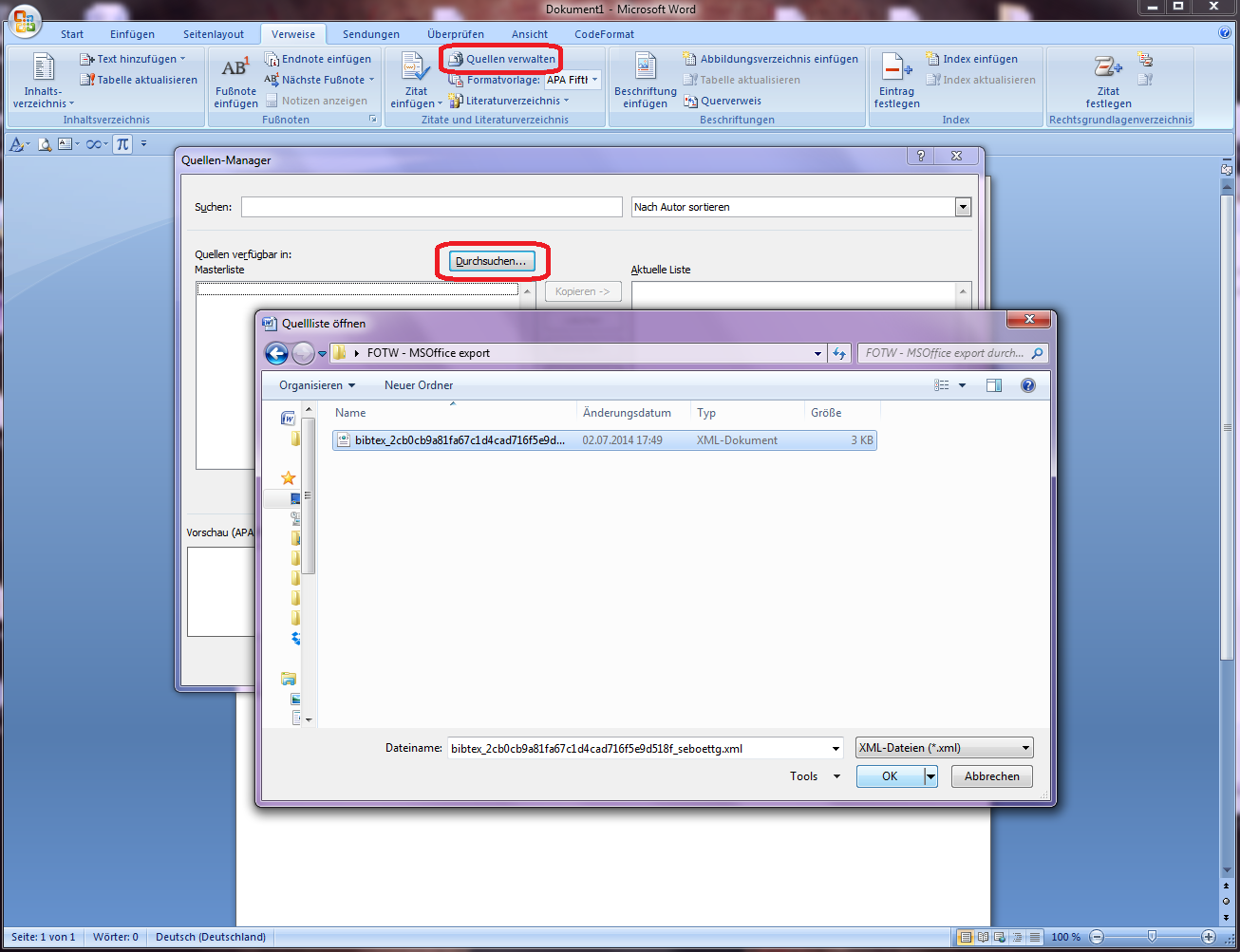
You can also export all your Publications via selecting the "MSOffice XML"-Option on the export page. To import your publications into MS Word open the Reference-Manager, select "Browse..." and open the export xml.


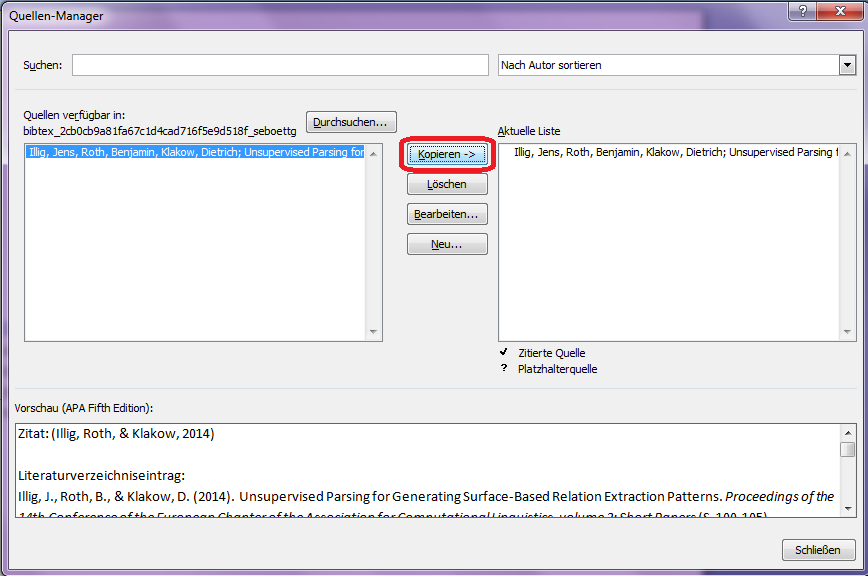
Now you can select the publications you wish to copy into your bibliography on the left side, hit "copy" to add them and finally close the window.

https://blogger.googleusercontent.com/img/b/R29vZ2xl/AVvXsEgihxH7PgFA-DddWJTlwCPqb8m4bscZWv-BlzlvRpIWuZbvh_NDSkkSzEihZM8hGe5YReL6V3MeuRrwm-dRKQo3JNH5jBLw-FdDPwVU3xJZOcrbxgU43bi17gOzS1hM16ApQWtj/s1600/Screen3.png

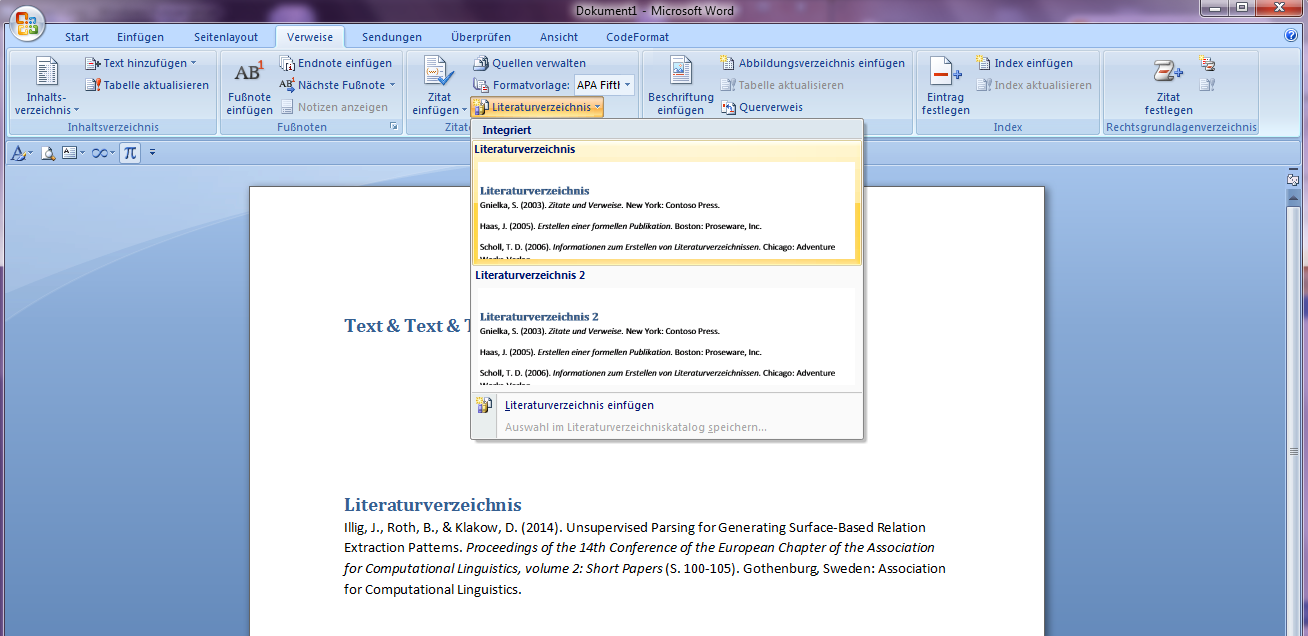
Et voilà!. A click on "bibliography" lets you add the bibliography to your document, including all your previously imported sources.

https://blogger.googleusercontent.com/img/b/R29vZ2xl/AVvXsEi1oGV6ABVKcGmqfRKO04kJF_ouihguveH-B-gH1cNkeeadPYTZQeA-spe8YVbHTyuZP_oOvTIpzDRJMcDhbyYg9ieIsK5-A_Y79J4-ik_Dn-Ps3gVI1WD4qrFWpXktTnLkcIDt/s1600/Screen4.png


Happy Tagging
Marcel

Tuesday, March 29, 2011

Feature of the Week: API outputs JSON instead of XML

In the last post we introduced a new parameter for our REST API. With the last release another new API feature was introduced which allows for a better usage of BibSonomy in browser based applications. The API is now able to output JSON. Instead of XML, all API request can be switched with the URL parameter format to return JSON. The JSON output of the last post's example with alphabetical ordered tags of the user beate can be accessed by the following request (you need your username and API key to access the URL):

http://www.bibsonomy.org/api/tags?user=beate&start=0&end=100&order=alph&format=json

If you would like to force the API to provide the XML version you need to change the parameter format to format=xml.

Another option to switch between the two output formats is the Accept parameter send to the server in the header of the HTML request. The screenshot below shows the typical XML output (top part of the figure) and parts of the request header (bottom). Besides the typical text/html format, the request asks for application/xml as one output option. If this is changed to application/json the API will send the answer in JSON format.


If you would like to try it yourself you can use the Firefox addon Modify Headers.

We hope you will find the new feature useful. Every feedback is very welcome.

Happy Tagging,
Andreas

Popular Posts