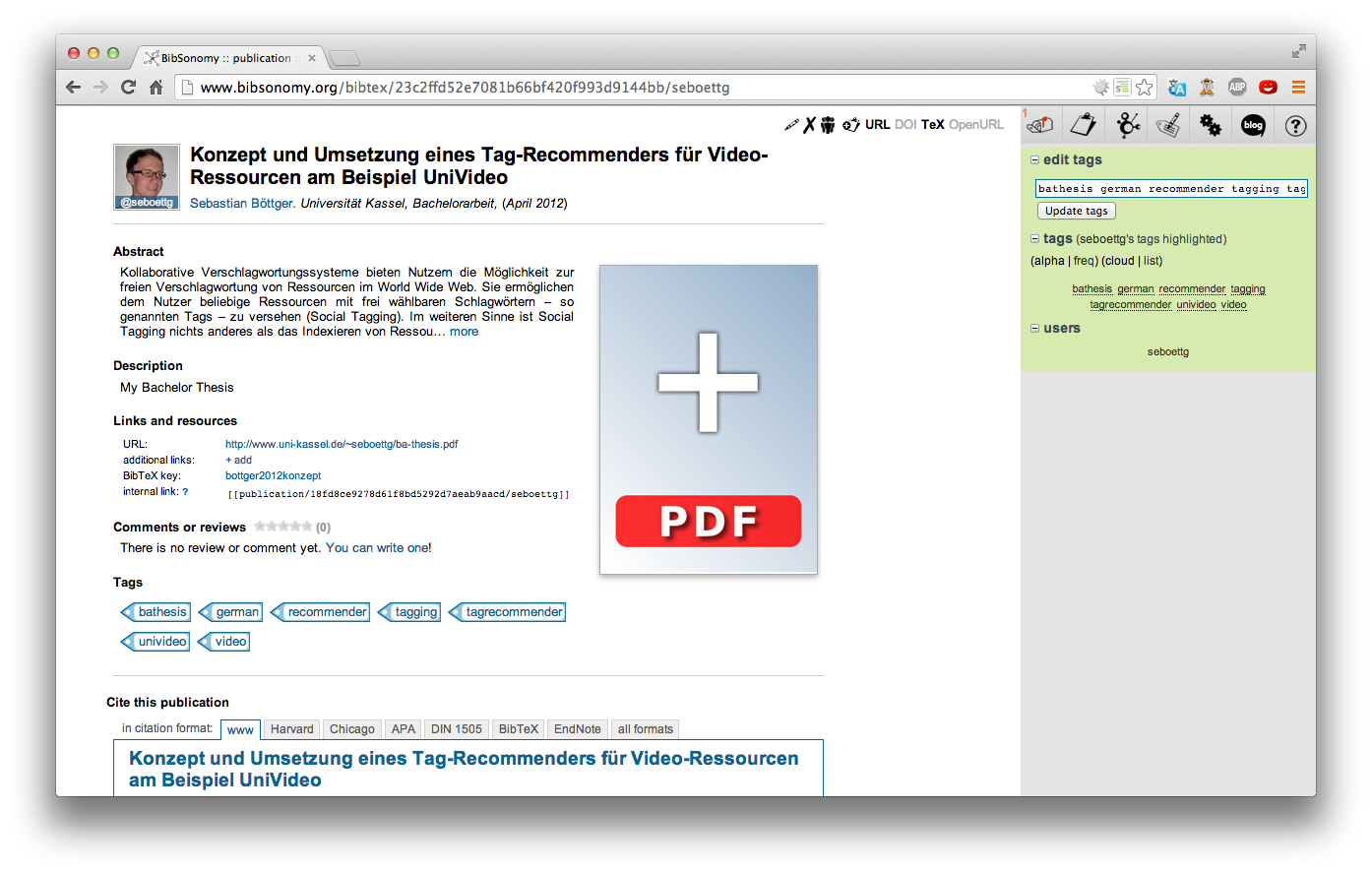
We've proud to present you the new publication page. The aim of the redesign was to create a tidy and easily accessible page, which presents the important information of a publication, its authors, and the user who saved the post.
Ok, let's have a look at the new page.
At the head of our new publication page you can find the title, authors, and other important information depending on the type of the publication next to the thumbnail of the post owner's profile picture.
If there is an abstract and/or a description, it is shown next, followed by
Links and resources section where you can find the links and the BibTeX key.
The following section shows user comments and ratings (if anyone has reviewed or rated this publication), followed by a general view of the owner's tags of this post.
At the bottom of the page there is the familiar citation box.
Easily managing documents of a publication

One of the important modifications is the way of managing your private documents. If the post is your own, you find a placeholder image with a big plus at the right side of the content area. You can click on it to upload associated files, for instance the whole publication or several parts like indexes or charts.
For every uploaded document BibSonomy creates a preview of the document's first page (supported for almost every file type). The latest uploaded document is shown first. If you have uploaded more than one document, BibSonomy displays squarish bullets under the previews to navigate between these.
Below the bullets there is a list of all documents you've uploaded for this publication post. Which of the previews is currently shown is indicated by the blue vertical stroke left to the file name. The action icons right next to the file name allows you to rename (pen) and delete (cross) the file. The two other icons link to the document file (down arrow) or the document with an embedded QR code (QR). When you click on the file's name you are able to rename it.
We hope you'll like the new publication page that its modifications support you in your daily scientific work.
Happy tagging,
Sebastian!